 Hide Table of Contents
 Analysis
Data Reviewer
Dynamic Layers
Editing
Feature Layers
Feature Table
Graphics
Map
Mobile
Online and Portal
Popups and Info Windows
Query and Select
Renderers, Symbols, Visualization
Search
Analysis
Data Reviewer
Dynamic Layers
Editing
Feature Layers
Feature Table
Graphics
Map
Mobile
Online and Portal
Popups and Info Windows
Query and Select
Renderers, Symbols, Visualization
Search
Explore in the sandbox
Open in CodePen
View live sample
Description
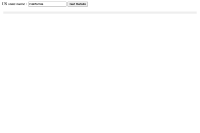
This sample demonstrates that you can query data from a map service without displaying the service. Most map services contain datasets with attribute information that can be queried and displayed in a simple list or table. This sample queries for colleges and universities in the United States, then displays a list of attribute information about that school.
The code creates a QueryTask along with a Query that is used as input to the task.
Notice that the query.returnGeometry is set to false because the results won't be displayed on a map. The outFields determine which fields in the layer will be queried.
When you click the Get Details button, the execute function is called. The query task searches based on a SQL where clause, using "query.where".
Code
<!DOCTYPE html>
<html>
  <head>
    <meta http-equiv="Content-Type" content="text/html; charset=utf-8">

    <meta name="viewport" content="initial-scale=1, maximum-scale=1,user-scalable=no">
    <title>Query without Map</title>

    <script src="https://js.arcgis.com/3.41/"></script>
    <script>
      require([
        "dojo/dom", "dojo/on",
        "esri/tasks/query", "esri/tasks/QueryTask", "dojo/domReady!"
      ], function (dom, on, Query, QueryTask) {

        var queryTask = new QueryTask("https://services.arcgis.com/V6ZHFr6zdgNZuVG0/arcgis/rest/services/CollegesUniversities/FeatureServer/0");

        var query = new Query();
        query.returnGeometry = false;
        query.outFields = [
          "NAME", "CITY", "STATE", "WEBSITE", "TELEPHONE", "COUNTY", "SOURCE"
        ];

        on(dom.byId("execute"), "click", execute);

        function execute () {
          query.where = "NAME LIKE '" + dom.byId("userinput").value + "%'";
          queryTask.execute(query, showResults);
        }

        function showResults (results) {
          var resultItems = [];
          var resultCount = results.features.length;
          for (var i = 0; i < resultCount; i++) {
            var featureAttributes = results.features[i].attributes;
            for (var attr in featureAttributes) {
              resultItems.push("<b>" + attr + ":</b>  " + featureAttributes[attr] + "<br>");
            }
            resultItems.push("<br>");
          }
          dom.byId("info").innerHTML = resultItems.join("");
        }
      });
    </script>
  </head>

  <body>
    Search for U.S. university or college::
    <input type="text" id="userinput" value="University of California">
    <input id="execute" type="button" value="Get Details">
    <br />
    <br />
    <div id="info" style="padding:5px; margin:5px; background-color:#eee;">
    </div>
  </body>
</html>